johnrellis
Legend
February 14, 2017
Question

P: Map > Tracklog > Auto-Tag Photos incorrectly greyed out

  • February 14, 2017
  • 17 replies
  • 6603 views

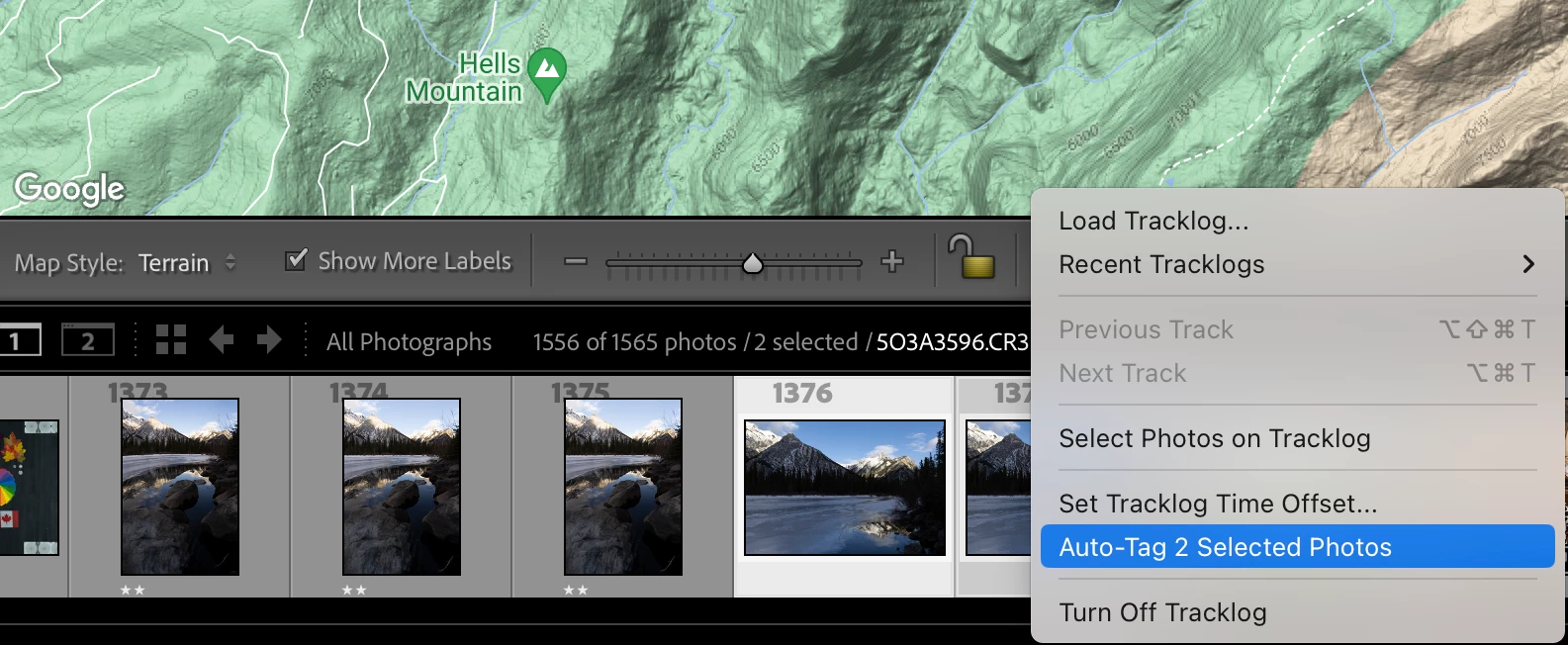
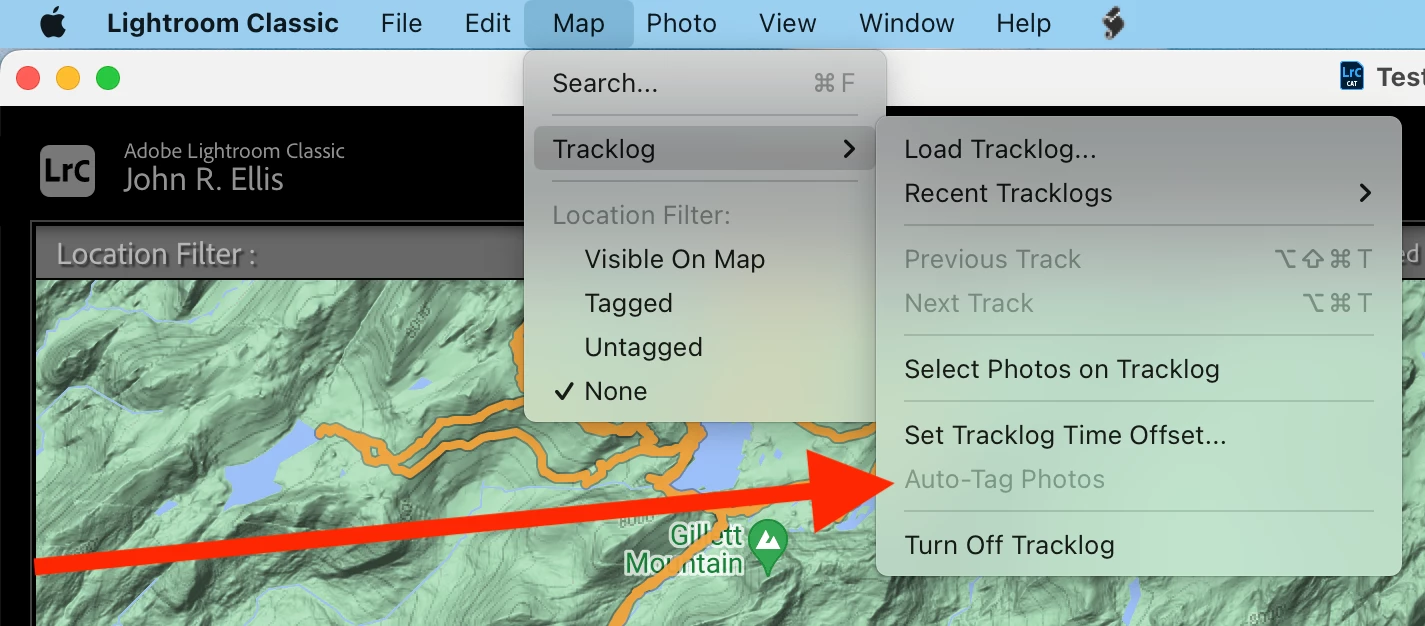
The menu item  Map > Tracklog > Auto-Tag Photos is always greyed out, even though the toolbar's Lightning Bolt > Auto-Tag n Selected Photos is not.  This bug has been present since at least LR 9.1.


To reproduce:


1. In the Map module, load this tracklog:

https://www.dropbox.com/scl/fi/c4mtos3k945v3z8kcamgi/Big-Lake-2023-Tracks.GPX?rlkey=18dxvhr56v0i45ib1amitgylx&dl=0


2. Select one or more photos in the filmstrip.


3. Observe that Map > Tracklog > Auto-Tag Photos is greyed out.


4. Observe that the toolbar's Lightning Bolt > Auto-Tag n Selected Photos is not greyed out.


Tested on LR 12.5 Mac OS 13.5.1 and Windows 11; LR 9.1 Mac OS 13.5.1.


17 replies

Participant
February 22, 2026

Fantastic, thank you. Downloaded the newest Lightroom Classic and it worked.

johnrellis
Legend
February 22, 2026

I verified that the bug recipe now works correctly in LR 15.2 / Mac OS 26.2.

Rikk Flohr_Photography
Community Manager
Community Manager
February 20, 2026

Greetings all,  


A new update for the Adobe Photography products has been released.  The February update contains an update regarding this issue. 

If you do not see the update in your Creative Cloud Application, you can refresh it by pressing  [Ctrl/Cmd]+[Alt/Opt]+[ R ].

Note: It may take up to 24 hours for your update to be available in your Creative Cloud app.


Thank you for being so patient.  

Rikk Flohr: Adobe Photography Org
Participant
July 13, 2025

The bug still exists. Subscriptions are getting more expensive, and the bug will soon be 2 years old 🤦‍♂

johnrellis
Legend
July 13, 2025

The bug has been present since at least LR 9, though no bug report was filed until two years ago.

Legend
May 7, 2025

I opened LrC today and tried this Map module issue again: removed my photos from the testing catalog, then Imported them again, loaded the tracklog and set the time offset for the different timezone.


Auto-tag Photos in the menu was enabled, even with no photos selected, as this screen shot shows:


I selected some photos and used Auto-tag Photos to tag them successfully. The menu item remained enabled, even after closing LrC and restarting. I was able to use it again to tag more photos. Yesterday, doing exactly the same process, the Auto-tag Photos was always disabled.


What a frustrating bug!


Legend
May 6, 2025

This thread is a total mess.


The issue reported by @johnrellis on Oct 10 2023 is still an issue in LrC 14.3.


I created a new catalog and imported some photos for which I have a have a tracklog file.


After setting the time offset to correct for the timezone in which the photos were taken, I can select one or more photos and the menu Map > Tracklog > Auto-tag Photos is greyed out (disabled). However, in my testing today, I have actually seen the Auto-tag  Photos menu item enabled just after importing the photos, even with no photos selected! If I use it once or close LrC and relaunch, it then shows as disabled.


This should not be so difficult to fix in a timely manner. More than 18 months is not timely. Does anyone at Adobe care about their users?

Rikk Flohr_Photography
Community Manager
Community Manager
January 25, 2024

Is anyone on this thread still seeing this issue with 13.1?


Rikk Flohr: Adobe Photography Org
misxif
Participant
July 26, 2024

I still have the problem with Lightroom Classic v13.4

GoldingD
Legend
July 26, 2024
quote

I still have the problem with Lightroom Classic v13.4


By @misxif

With Auto tag? or something else?


Community Expert
November 20, 2023

Didn't even realize this was still a bug as I always click the squiggly line. Thanks for info @johnrellis 

Participant
November 20, 2023

Thanks to all of you. The workaround (explained by Jao vdL and Johnrellis) did what it should do: It worked.

Participant
November 19, 2023

Vielleicht hat jemand einen Tipp für mein aktuelles Problem. Ich möchte die GPS-Koordinaten aus einem Tracklog automatisch in meine Bilder eintragen. Durch eine passende Zeitverschiebung habe ich es auch geschafft, dass alle ausgewählten Bilder sich in dem Zeitfenster befinden, das durch den GPX-Log abgedeckt ist. Allerdings ist leider die Funktion "Fotos automatisch taggen" ausgegraut.

Ich stehe auf dem Schlauch, woran das liegen kann, denn immerhin habe ich diese Funktion erst gestern erfolgreich genutzt. Hat jemand eine Idee, woran es liegen könnte, dass sie nun nicht verfügbar ist?

(Lightroom Classic Version 13.0.1)

Community Expert
November 19, 2023

In my experience this happens when there are no images in your selection that are in the time period of the tracklog. Usually this is because the time offset is wrong. There are lots of subtle bugs with time recording in DSLR cameras and their timezone setting, so check whether the time tag metadata on the images actually appear to be within the tracklog's time period.

Participant
November 19, 2023

@Jao vdL: Thanks a lot for your hint, but to me it really looks like the time stamps of all selected pictures are within the time range that is covered by the tracklog (see screenshot).